Website Advertisement


What Is the Noonlight App?
Noonlight is the ultimate safety companion app that empowers you to take control of your personal security like never before. With Noonlight, you can rest assured knowing that help is just a tap away.
Website Advertisement

Who Can Benefit from The Noonlight App?
- When Walking alone.
- After noticing someone following you.
- To silently call for help during a domestic attack.
- To get help in a medical emergency.
- To get help during a break-in.
- To get help during Uber/Lyft riders.
- As a safety net for first dates.
- As an alternative to dialing 911 for anyone with limited speech or dexterity.
How Does the Noonlight App Work?
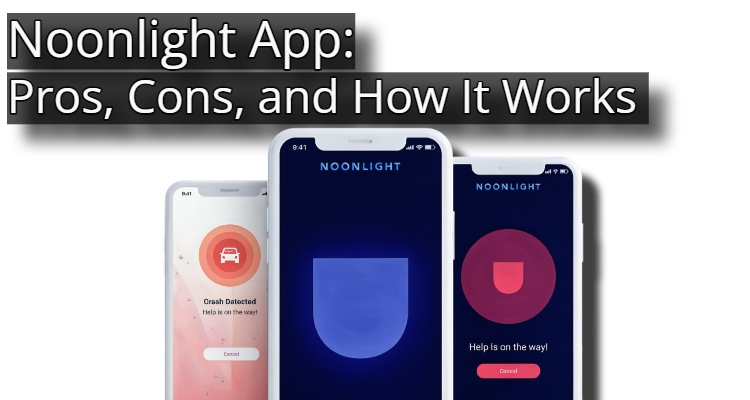
- Feeling unsafe? Open the Noonlight app and hold the button.
- Once you’re safe, release the button and enter your 4-digit PIN.
- In danger? Release the button and do not enter your PIN. Noonlight will notify police with your exact location.
Website Advertisement

Noonlight App Free Features
- Timeline: This feature allows you to jot down notes about who you are meeting and where. If you go missing, police can use these clues to locate you.
- Tinder integration: Easily add your Tinder chat details to your Noonlight Timeline right from the app.
- Advanced profile: Add a photo of yourself and some additional notes—such as medical information—to help emergency responders identify and care for you.
- TASER Pulse+ integration: Noonlight’s dispatchers automatically receive your location data when you fire the TASER Pulse+.
- Safety Network: Your Safety Network acts as a backup to the panic button just in case you can’t use it. Let friends and family know you’re heading out and what time you plan to be home. Your network can request a check-in to make sure you made it, view your location, and even dispatch emergency responders on your behalf if they believe you are in trouble.
Noonlight Apps Paid Features for iPhone Users
Noonlight’s Instant Access Plan: $4.99/month
- iOS widget: “Offering a faster way to signal for help, you can access the widget by swiping down from the top of your locked iPhone screen
- Apple Watch and Wear OS integrations: Add the Noonlight app to your Apple Watch or Wear OS watch for speed and convenience.
- Uber and Lyft integrations: Noonlight shares your Uber or Lyft driver’s information with the police if you signal for help during a ride.
Website Advertisement

Noonlight’s Total Protection Plan: $9.99/month
- Everything in the instant access plan.
- Crash response: Noonlight senses a car crash and alerts dispatchers. You’ll get help even if you’re injured, dazed, unconscious, or simply can’t reach your phone.
- Alexa or Google integrations: Pair Noonlight with an Amazon or Google smart home hub to get help using your voice. Wake the smart hub by saying, Alexa or Ok Google. Then, say, Tell Noonlight to send help.
- IFTTT Intergrations: Noonlight pairs with IFTTT to monitor popular smart home devices from Blink cameras, Wyze, Nest Protect, Abode, Arlo, Scout, and Canary.
Pros of the Noonlight App
- Use emergency button for free.
- Get help silently.
- Send location to dispatchers automatically.
- Let friends check in or call for help.
- Monitor cameras and security equipment affordably.
Website Advertisement

Cons of the Noonlight App
- Toddlers might set off false alarms.
- Can’t access extra features on Android.
- Can’t hide PIN.
- Can’t use outside the US.
Final Thoughts
Noonlight is a highly effective, reliable app that offers vital peace of mind. Its simple button-and-PIN system makes it ideal for situations where you feel uneasy but aren’t quite ready to call 911. However, relying entirely on the app for emergency dispatch can have limitations.
Website Advertisement
Download The App And Visit Their Website
| App Store | Google Play | Website |
Disclaimer
I do not work for or represent Noonlight. This page was created to provide information about the app.
Website Advertisement
Stay Up to Date with The Site
Follow me on these social platforms for updates on new reviews and more!